Drive home: my vehicle
The home page Il mio veicolo (my vehicle) sums up the state of your vehicle on one screen. Scroll down to see the map and the tiles.
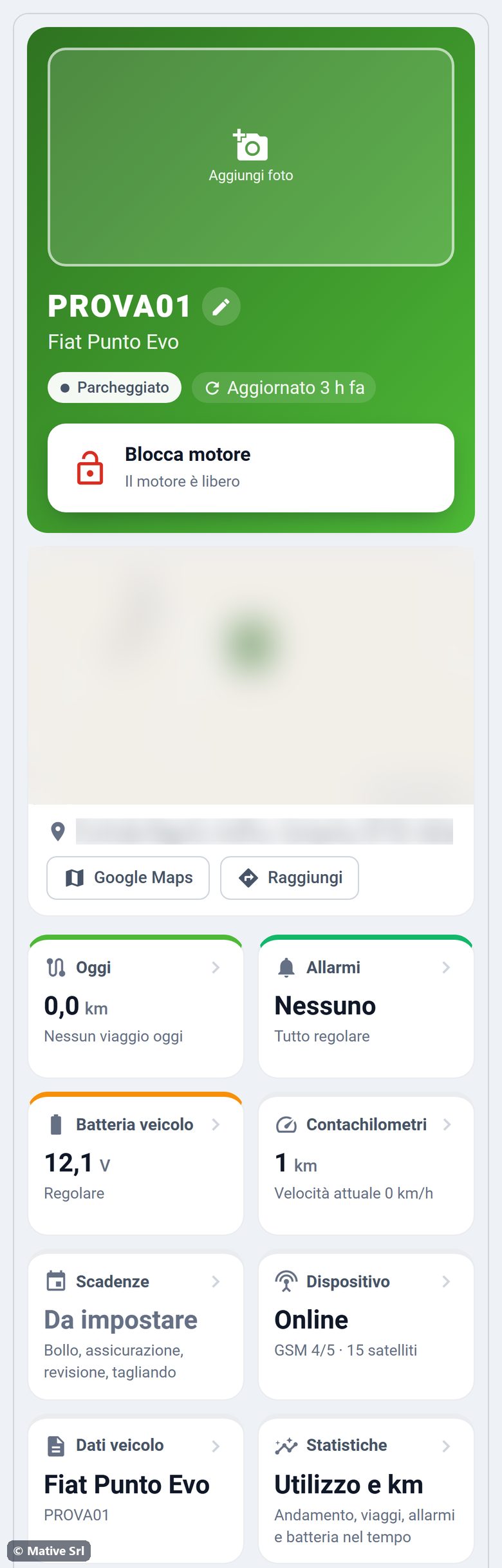
Header
- Photo of the vehicle. Tap Aggiungi foto (add photo) to add one.
- Name or plate, with the pencil to edit the vehicle.
- Model of the vehicle.
- Status, for example Parcheggiato (parked) with the time since the vehicle has been parked.
- Aggiornato … fa (updated … ago): time of the last data. Tap it to refresh the page.
- Blocca motore / Sblocca motore (lock / unlock engine), with the current state of the engine.
When there is an open alarm, a red or orange banner appears at the top of the home with the type of alarm. Tap Vedi e gestisci (see and handle) to open the alarms.
Map and position
The map shows the last position of the vehicle, with the address below it.
- Google Maps opens the position in Google Maps.
- Raggiungi (reach) starts directions to the vehicle.
- Tap the map to open the overview with the live map.
Tiles
Each tile opens the related page.
| Tile | What it shows |
|---|---|
| Oggi (today) | Km of the day, number of trips, driving time and time of the last arrival |
| Allarmi (alarms) | Open alarms, or Nessuno (none) and Tutto regolare (all fine) |
| Batteria veicolo (vehicle battery) | Voltage: Regolare (normal), In carica (charging, engine on) or Tensione bassa: da controllare (low voltage) below 11.8 V |
| Carburante (fuel) | Fuel level, when the vehicle sends it |
| Contachilometri (odometer) | Km of the vehicle and current speed |
| Scadenze (deadlines) | The next deadline, or Da impostare (to be set) |
| Zone (zones) | Whether the vehicle is inside the allowed area, when geofences are set |
| Dispositivo (device) | Online or Non raggiungibile, mobile signal and satellites |
| Dati veicolo (vehicle data) | Model and plate |
| Statistiche (statistics) | Usage and km over time |
When the vehicle has made trips today, the Ultimo viaggio (last trip) card appears, with times, duration, km and a Replay button.
Engine lock
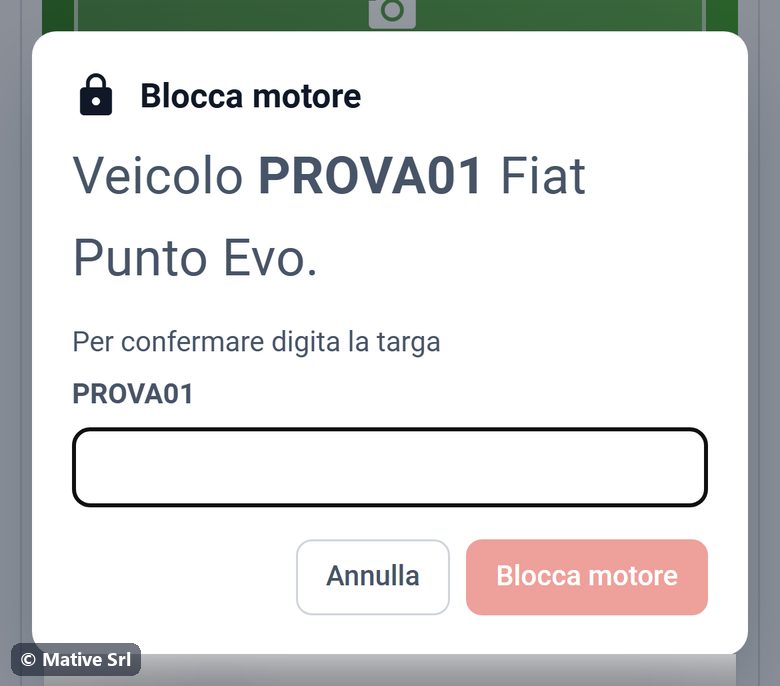
- Tap Blocca motore.
- Type the plate of the vehicle in the confirmation window. The button becomes active only when the plate is correct.
- Confirm with Blocca motore, or close the window with Annulla.
When the tracker is not reachable, the button is disabled and shows Dispositivo non raggiungibile (device not reachable). To unlock the engine, tap Sblocca motore and confirm.
The tracker has a safety measure: the engine lock is activated only when the engine is off.
Editing the vehicle
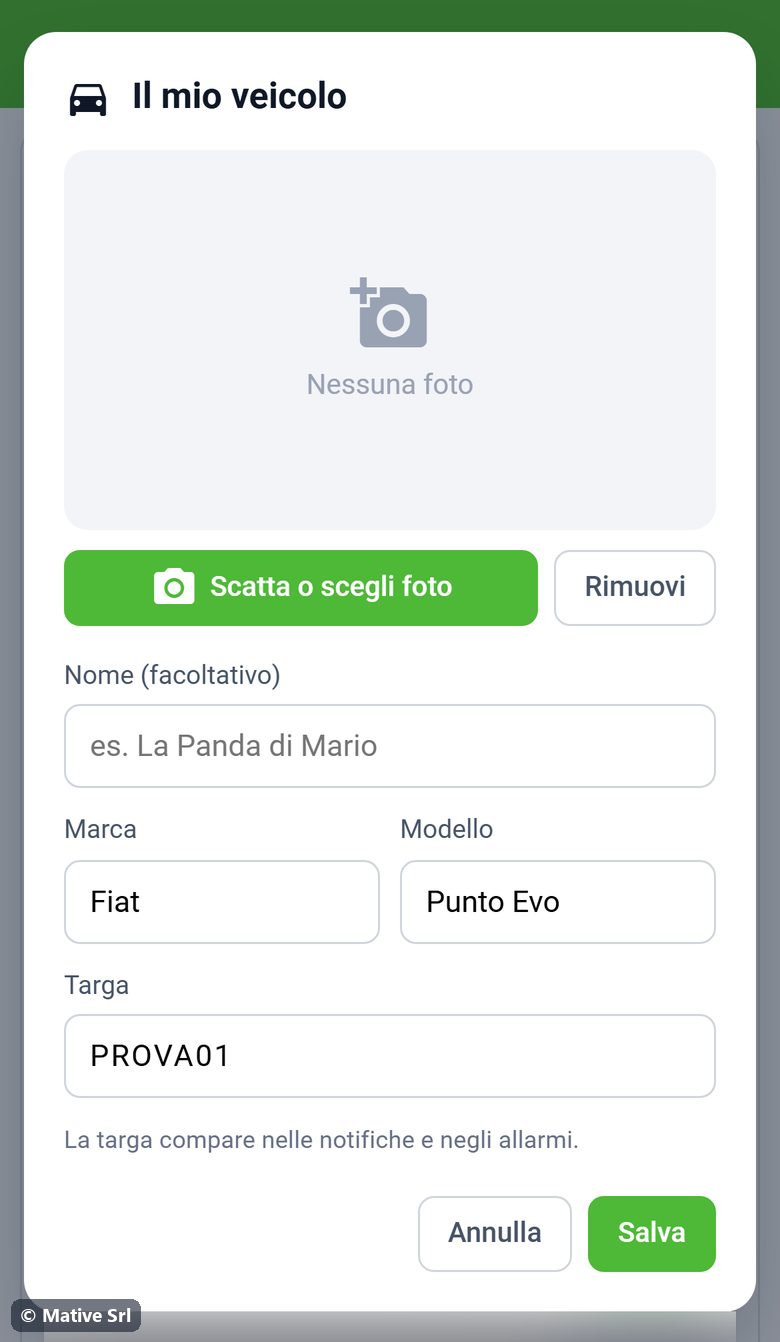
Tap the photo or the pencil next to the name to open the Il mio veicolo panel.
- Scatta o scegli foto (take or choose a photo) adds a photo from the camera or the gallery. Rimuovi (remove) deletes it.
- Nome (facoltativo) (name, optional): a name you choose, for example "Mario's car". When it is set, it replaces the plate as the title of the home.
- Marca (brand), Modello (model) and Targa (plate). The plate appears in notifications and alarms.
Tap Salva (save) to keep the changes, or Annulla (cancel) to discard them.